This message will be pre-filled in the chat. The user can edit it before sending.
The WiFi name exactly as it appears on devices. Case-sensitive.
Leave empty for open networks.
Choose the encryption your router uses. Most home networks use WPA/WPA2. Newer routers may support WPA3.
Create a digital business card. Scanning adds the contact directly to the phone. Only name is required — everything else is optional.
Create a calendar event. Scanning adds the event to the phone's calendar app.
End time must be after the start time.
🍎 App Store QR — links directly to your iOS or macOS app listing. Scanning on iPhone opens the App Store. On Android it opens in the browser. Need one QR for both platforms? Try Smart Link.
📲 Google Play QR — links directly to your Android app listing. Scanning on Android opens the Play Store. On iPhone it opens in the browser. Want iOS support too? Try Smart Link.
Paste the full link to your app listing.
🔀 Smart Link — iOS users go to the App Store, Android users go to Google Play, and desktop visitors see a download page with both badges. Must be saved as a Dynamic QR.
Smart Link must be saved as a Dynamic QR — log in to continue.
Shape of the data pixels.
Shape of the 3 finder patterns.
Inner dots inside corners.
Overall shape of the QR code.
Pre-styled designs for specific use cases. Applies colors, shapes, frame & CTA in one click.
One-click color themes. You can further customise after picking a preset.
Keep strong contrast between foreground and background for reliable scanning.
#000000
100%
#000000
100%
#000000
100%
#ffffff
100%
Place a logo at the center of the QR code. Error correction is automatically set to High when a logo is added.
Desde un botón de feedback junto al dispensador de jabón en un aeropuerto de Bangkok, hasta el pasaporte QR de un rinoceronte en Kruger, o un viñedo de Mendoza escaneado en un restaurante de Londres — una biblioteca creciente de lugares reales donde el QR hace su trabajo silencioso.
✨Historia del día
🇳🇵
Nepal · Bangladesh · India
The loan ledger that closes by sundown
In rural microfinance circles across Nepal, Bangladesh, and India, field officers print a transaction QR at the moment of cash collection. The beneficiary scans it to confirm, and the loan ledger reconciles in real time instead of waiting a week for the paper trail to reach head office.
No. Los códigos QR estáticos se generan en tu navegador y nunca caducan — funcionan para siempre. Los códigos QR dinámicos enlazados a documentos subidos permanecen activos mientras tu cuenta esté activa.
Is QRSansar free to use?
Yes. All QR code types and customization options are 100% free. Download as PNG, JPG, or SVG with no sign-up. A free account (no credit card) unlocks PDF and WEBP downloads, logo uploads, dynamic QR codes, and up to 10 document uploads. Premium adds bulk generation and analytics.
¿Puedo añadir mi logo a un código QR?
Sí. Sube cualquier logo en PNG o SVG en el panel Personalizar. QRSansar ajusta automáticamente la corrección de errores para que el código siga siendo escaneable.
¿Qué formatos de imagen puedo descargar?
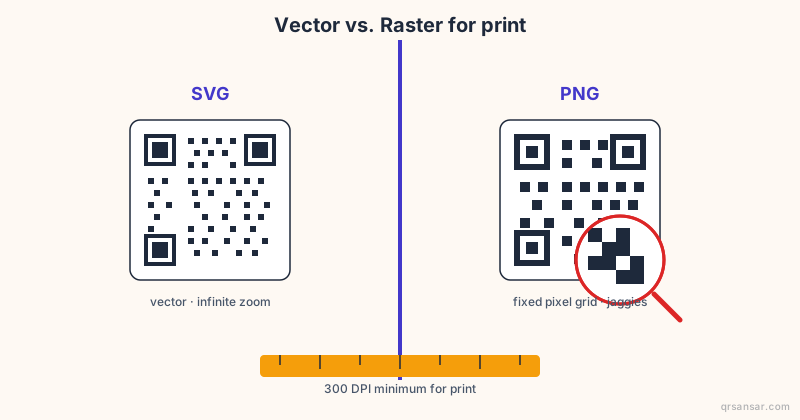
PNG, SVG, PDF y WEBP. SVG es ideal para imprimir — se adapta a cualquier tamaño sin pixelarse.
¿Puedo actualizar un código QR después de imprimirlo?
Con el QR de Documento, puedes reemplazar el archivo en cualquier momento — el enlace impreso permanece igual. Los códigos QR estáticos codifican los datos directamente y no pueden modificarse tras su creación.
¿Son seguros los códigos QR de QRSansar para uso comercial?
Por supuesto. Sin marcas de agua, sin restricciones ni tarifas. Los códigos QR que generas son tuyos y puedes usarlos libremente para cualquier propósito.
Utilizamos cookies con fines analíticos y para mejorar tu experiencia. Más información
¡Mantente actualizado!
Recibe notificaciones sobre nuevas funciones y actualizaciones de QRSansar.
Instalar QRSansarToca luego "Añadir a pantalla de inicio"