How Big Should Your QR Code Be? The Print-Size Formula (with Examples)

The single most common reason a QR code fails to scan in the wild is that someone made it too small. The second most common reason is that the surrounding quiet zone got eaten by a layout designer. We can fix both with a formula and three minutes of math. This piece covers the print-size rule, the physics behind it, and worked examples for every common use case from a 90 mm business card to a roadside billboard.
The 10:1 rule
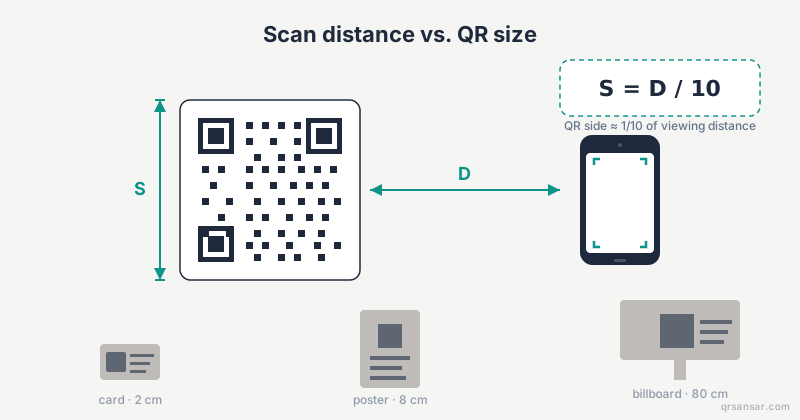
The industry rule of thumb, promoted by Denso Wave (the company that invented the QR code) and reinforced by every print production guide since, is:
Where is the side length of the QR code and is the maximum expected scanning distance, in the same units. Inline, that is just .
That ratio comes from the angular resolution that consumer phone cameras and their decoders need to reliably resolve individual QR modules. The decoder has to distinguish each black-or-white cell of the symbol; if the cells subtend too small an angle at the camera, the image processing pipeline cannot determine which cells are which. The 10:1 ratio gives a comfortable margin even on cheap cameras in poor light.
The rule is conservative on purpose. Pristine lab conditions can pull off 15:1 or even 20:1. Real-world print, fingerprints, glare, and a customer's three-year-old phone require the safety margin.
The math, briefly
A QR symbol has between 21 and 177 modules per side, depending on the version. Most marketing QRs are versions 3 to 10, which is 29 to 57 modules. Phone cameras need roughly 4 to 6 pixels per module to decode reliably, and a typical phone camera captures around 1 minute of arc per pixel at autofocus distance. Multiply through, and you arrive at a side length around one-tenth of the viewing distance for a comfortable read.
A second formula that matters is the module-density vs version relationship: , where is modules per side and is the version number. Higher versions pack more data but need either a bigger print or a closer scan. If you are encoding long URLs or vCards, your QR is automatically a higher version and therefore needs more print real estate per centimetre of viewing distance.
For more on how module count, error correction, and density interact, see our deep-dive on error correction levels L, M, Q, and H and Wikipedia's QR code storage section. The ISO/IEC 18004 standard is the authoritative spec for module geometry if you want the full technical detail.
Worked examples
Apply to the common print contexts:
| Use case | Scan distance | Min size | Recommended ECC |
|---|---|---|---|
| Business card | 10 cm | 1.0 cm | L or M |
| Restaurant table tent | 30 cm | 3.0 cm | M |
| Product packaging label | 20 cm | 2.0 cm | M |
| A4 indoor poster | 100 cm (1 m) | 10 cm | M or Q |
| Bus stop / retail wall poster | 300 cm (3 m) | 30 cm | Q |
| Trade show banner | 200 cm (2 m) | 20 cm | Q |
| Vehicle wrap (car) | 500 cm (5 m) | 50 cm | Q or H |
| Billboard (roadside) | 3,000 cm (30 m) | 3.0 m | H |
| Window decal (storefront) | 150 cm | 15 cm | Q |
A few of those are worth flagging individually.
Business card (10 cm → 1 cm)
A 1 cm × 1 cm QR is the practical minimum for any handheld scanning. Below that, even a clean lab print struggles. If your vCard payload makes the symbol denser than version 6 or 7, bump the print size to 1.5 cm or use a shorter URL that redirects to the vCard. Generators like /vcard can output to SVG so you don't lose resolution at small print sizes.
Restaurant table tent (30 cm → 3 cm)
This is the sweet spot for hospitality. Most diners hold their phone 25 to 35 cm away, so 3 cm is the floor and 4 cm is the comfort zone. If you operate multiple locations, our bulk generator at /bulk can produce one QR per table or one per location in a single CSV-driven run. For full-service hospitality patterns, see our restaurants page at /restaurants.
A4 poster (1 m → 10 cm)
Office and indoor venue posters are typically scanned from 80 cm to 1.2 m. A 10 cm QR is the right baseline. If the poster is hung above eye level, the effective distance is longer because viewers stand further back, so bump to 12 cm.
Billboard (30 m → 3 m)
Yes, three metres. This is why you almost never see billboards with QR codes that actually work. Most agencies print 30 cm to 50 cm QRs on billboards, which would require the viewer to be 3 to 5 m away — closer than the kerb. If you are planning a billboard QR, either commit to a 3 m symbol, use a memorable short URL instead, or accept that the QR is decorative.
The factors the formula doesn't capture
The 10:1 rule assumes well-lit, well-printed, matte surfaces with a stationary scanner. Reality intrudes in five ways.
- Lighting. Dim restaurants, glare from glossy laminate, and direct sunlight on a coated poster all degrade the image. Increase the size by 25 to 50 percent in any of these conditions.
- Motion. Drive-by or walk-by QRs (transit, bus wraps, escalator panels) have a moving scanner. Camera autofocus needs roughly half a second to lock; if the QR is only visible for less than that, no scan happens regardless of size.
- Camera quality. Older Android phones with 5 MP cameras need bigger symbols than current flagships with 48 MP sensors. Plan for the worst phone in your audience, not your iPhone.
- QR version. A version 3 (29 modules) URL QR is easier to scan than a version 20 (97 modules) vCard QR at the same physical size. The denser symbol effectively shrinks each module, so you need a bigger print to compensate.
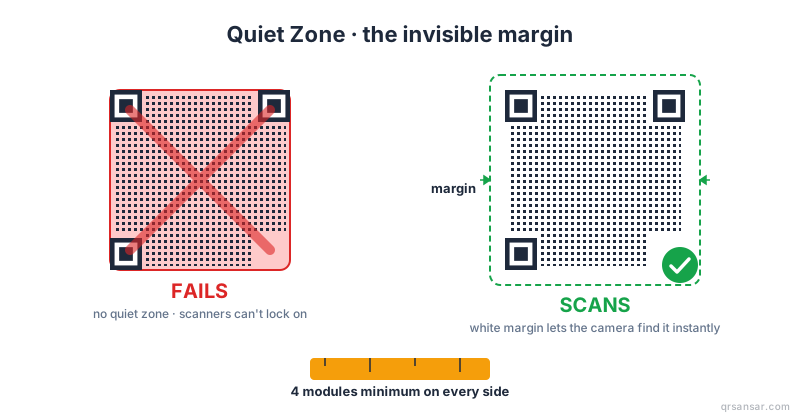
- Quiet zone. The QR specification requires a white border of at least 4 modules on every side. Designers love to crop it. See our quiet zone padding guide for the rule and what happens when it is violated.
Error correction by environment
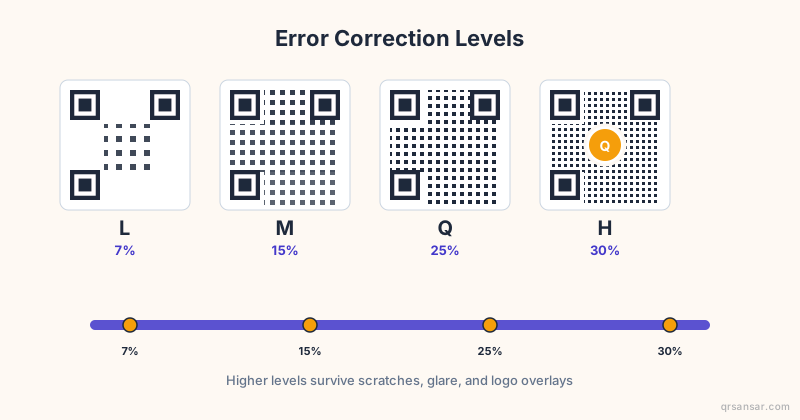
The bigger the print and the harsher the environment, the more aggressively you should crank up the error correction level (ECC). The four levels are L (7 percent recovery), M (15 percent), Q (25 percent), and H (30 percent).
- L: digital screens, indoor pristine print. Saves module density.
- M: most marketing print, default for posters and flyers.
- Q: outdoor print, restaurant menus that get sauce on them, anything with a logo overlay.
- H: industrial, vehicle wraps, anything exposed to weather or wear.
Higher ECC means more modules, so the symbol gets denser at the same byte payload. You can compensate by printing larger or by shortening the encoded URL. The QRSansar URL generator at /url lets you pick the ECC level directly so you can tune the trade-off.
Minimum size, absolutely
Regardless of scan distance, never print a QR smaller than 2 cm × 2 cm unless you specifically know your audience uses flagship phones in good light. Below 2 cm, the failure rate rises sharply, especially for versions above 5. A 1.5 cm "business card minimum" only works if the encoded payload is short — a 30-character URL, maybe 40.
For everything else, treat 2 cm as the floor.
Picking the right output format
Two more variables affect whether your formula-derived size actually scans in print:
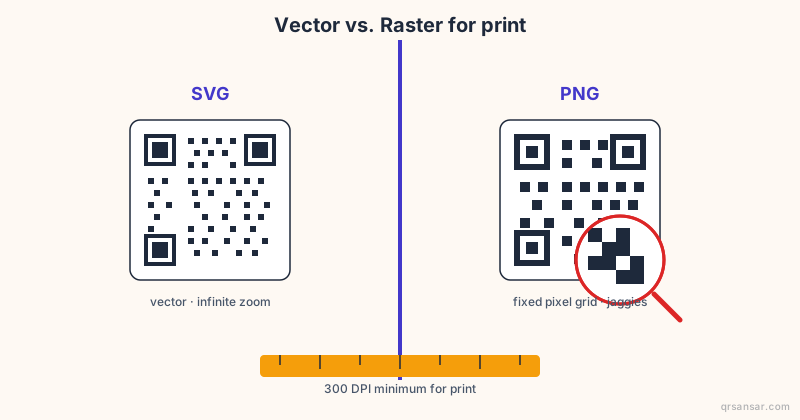
- SVG vs PNG: SVG scales without quality loss, which means your 1 cm business card QR and your 3 m billboard QR can come from the same source file. PNG works but must be exported at print resolution (300 DPI minimum). We have a full comparison piece on SVG vs PNG for print.
- Colour and contrast: black on white is optimal. Inverted (white on black) works on most modern decoders but breaks older ones. Coloured QRs need a measured contrast ratio against the background; see our colour contrast guide for the numbers.
A quick sanity-check workflow
When in doubt, run this five-step check before sending anything to print.
- Measure the realistic scan distance with a tape measure (not a guess).
- Apply to get the symbol side length.
- Add 50 percent if outdoors, glossy, or low-light.
- Set ECC based on the environment table above.
- Print one test copy at exact size and scan it with the cheapest phone in the office, in the actual lighting conditions.
If the cheapest phone in your office can scan the test print at the planned distance in the planned lighting, your real audience will too. If it can't, no amount of theoretical math will save you.
When to break the rule
Two situations justify going smaller than .
The first is when your audience is captive and motivated — they will move closer to scan because they have to. Museum exhibits, conference name badges, and product service tags often work at 15:1 or 20:1 because users walk up and align the camera.
The second is when the QR is paired with a short, memorable URL printed next to it. If the QR fails, the user types the URL. This is the "belt and braces" approach used by most premium brands, and it is the reason every Apple ad has a clean, typeable URL beneath any QR or App Store badge.
Generate at the right resolution
If you are ready to generate a print-ready QR at the size you just calculated, head to /url for URL QRs and pick SVG output. The vector file scales from business card to billboard without re-export. For multi-location campaigns where every poster has a different destination, use /bulk to drive a CSV of URLs through a single template.
Whatever size you settle on, print one test copy and scan it from the planned distance with a mid-range phone. That single test catches more failures than any spreadsheet.