6 Holiday QR Code Ideas for Small Businesses (Set Up in One Afternoon)
The last ten weeks of the year are when a small business has the most people walking through the door and the least time to talk to each of them. Dashain Tihar or Diwali, Black Friday, Christmas, wedding season, New Year: one festival rolls into the next, and the counter never gets quiet.
That is when a QR code earns its place. It answers the same question for the hundredth time so nobody has to say it out loud. "What's the WiFi?" "Do you have a menu?" "Where do I leave a review?" "Can I get that discount again?"
Below are six codes worth setting up this month, what each one does, which ones are free, and a simple calendar for when to print them.
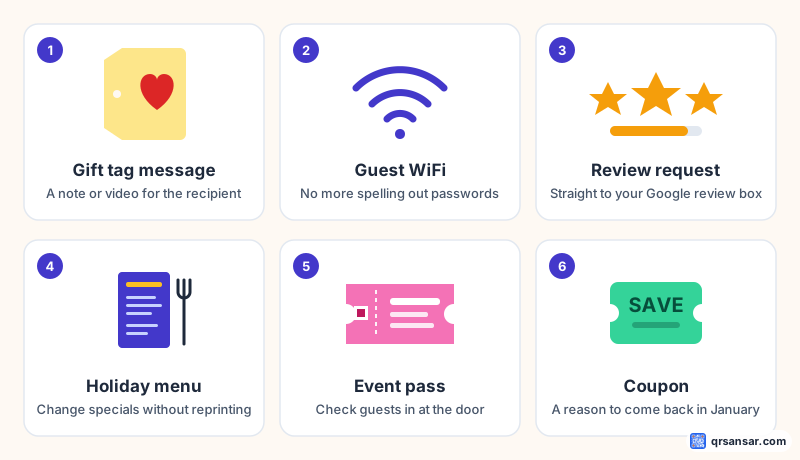
1. A gift tag that carries a message
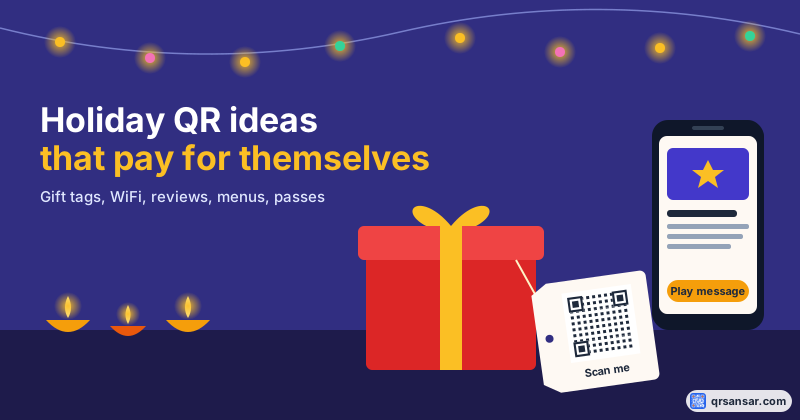
Gift wrapping is a service a lot of shops offer in December, and a handwritten tag only fits a few words. A QR code on the tag can hold a lot more.
There are two ways to do it, and they suit different gifts:
- The message inside the code. A text QR code stores the words themselves. Nothing is hosted anywhere, there is no link to break, and it reads even with no internet connection. It works well for a short note, a poem or a "you'll find the next clue under the tree" treasure hunt.
- A link to a video or voice note. Record a short clip, upload it somewhere the recipient can open (an unlisted video works), and make a URL QR code that points to it. This is the one that gets people smiling at the counter.
If you sell the wrapping as a service, offer the tag as a small add-on. The customer sends you the message or link at checkout and you print the code on your usual tag stock.
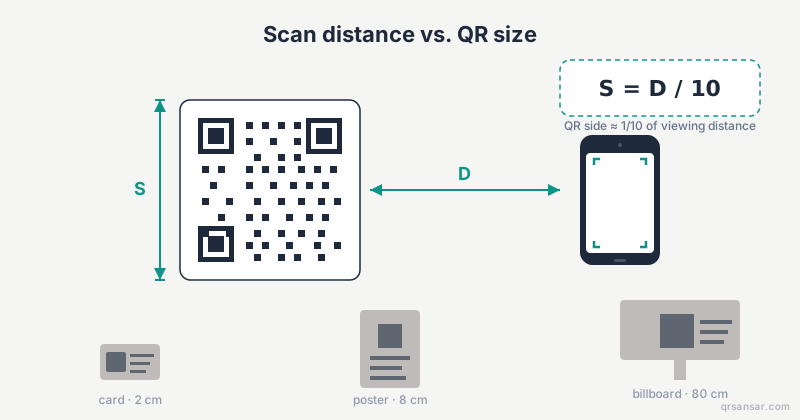
Print tip: gift tags are small. Keep the code at least 2 cm across and leave a clear white margin around it. Our print-size guide explains why.
2. Guest WiFi, without spelling out the password
Every cafe, salon and waiting room gets the WiFi question. During a busy week it gets asked dozens of times, often while you are holding a tray or a pair of scissors.
A WiFi QR code connects the phone to your network with one scan. The network name and password sit inside the code itself, so nothing is sent to us and it works with WPA2, WPA3 and WEP networks. It is free and needs no sign-up.
Put one on the counter, one on each table and one in the waiting area. If you change the password after the holidays, you only need to reprint a small card. We walk through the details in How to Create a Free WiFi QR Code.
3. A review request at the right moment
The holidays bring in customers who have never visited before. Some of them will love you. The best time to ask for a review is right after a good experience, while they are still standing in your shop, not a week later in an email they will never open.
A review QR code takes them straight to your review page. Put it on the receipt, the bag insert or a small card by the till. It is the easiest of the six to set up, and over time it can do the most good.
Copy your review link from your Google Business Profile and turn it into a code with our free review QR tool. Set it to Redirect only, so every scan goes straight to your Google review box.
One rule matters here. Google does not allow businesses to ask only happy customers for reviews, or to offer a discount in exchange for one. Ask everyone, offer nothing, and let the reviews be honest.
4. A holiday menu you can change without reprinting
Holiday menus change fast. A dish sells out, a festival special is added, the New Year's Eve set menu replaces the regular one for a single night. Printed menus can't keep up.
A digital restaurant menu lives online behind one QR code, so you edit the menu and the printed code stays the same. The menu and a single venue QR code are free. Per-table codes and online ordering are part of Premium.
The same idea works outside restaurants. A bakery's holiday order list, a salon's festive packages or a tailor's wedding-season price list can all sit behind a dynamic QR code that you update as stock and prices change.
5. Event passes for workshops, launches and parties
December is full of small events: a cookie decorating class, a book signing, a year-end sale preview for loyal customers, a staff party.
With event passes, people register, each confirmed guest gets their own QR pass by email, and you scan them in at the door. No printed guest list, no "I'm sure I signed up" arguments. Free accounts can run up to three events, which covers most small shops' holiday calendars. You manage them from your dashboard under Events.
If you only want people to save the date, a lighter option is a calendar event QR code, which adds the time and place straight to the scanner's calendar.
6. A coupon that brings them back in January
The holidays are busy. January is not. The smartest holiday QR code might be the one that fills your quietest month.
Slip a coupon QR code into every December bag: "Scan for 10% off your next visit, valid in January." The code reveals the discount or opens your redemption page. It is free and needs no sign-up. (Choose your own discount and dates, of course. The 10% here is just an example.)
What to print, and when
Order matters. Print shops get busy in November, and anything you want on packaging needs to be ready before the shopping peak. Here is a simple schedule:
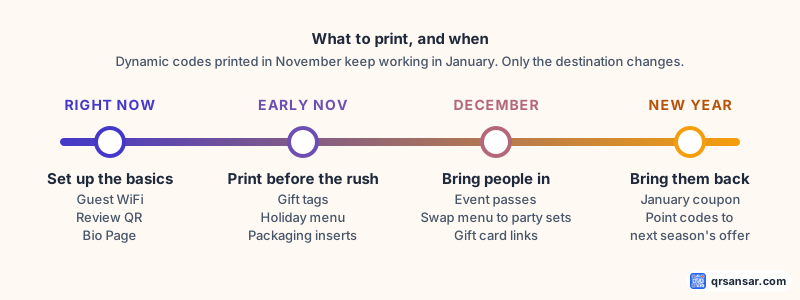
- Right now: set up the always-on codes first. Guest WiFi, your review QR and a Bio Page that collects your shop's links in one place.
- Early November: print anything that goes on packaging or in-store displays. Gift tags, bag inserts and holiday menus. Black Friday falls on 27 November this year, and Tihar and Diwali come earlier in the month.
- December: run your events and swap your menu to party sets. Change destinations rather than reprinting.
- New Year: hand out January coupons with every purchase, and point your dynamic codes at next season's offer.
Static or dynamic? A quick way to decide
Most of the codes above can be either type. The difference matters once the code is printed:
- Static codes hold the content directly. They are free, never expire and never depend on us. Use them for things that won't change: your WiFi network, a gift message, a fixed link.
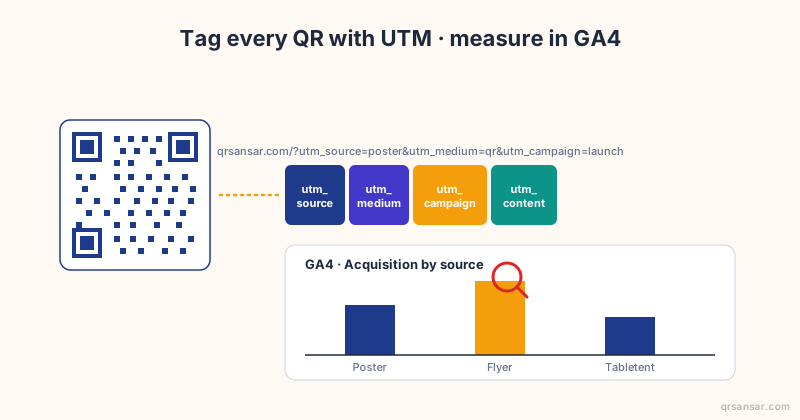
- Dynamic codes point to a short link that you can redirect later, and they count scans. Use them for anything printed in bulk whose destination might change: menus, offers, seasonal landing pages.
If you print 500 bag inserts in November, make them dynamic. In January you can point the same inserts at your new offer instead of throwing them away. Our honest comparison of dynamic and static codes goes deeper.
Before you print: a 60-second check
Holiday print runs are expensive to redo. Before you send anything to the printer:
- Scan the final proof with two different phones, one iPhone and one Android if you can.
- Check the destination opens properly on mobile data, not just your shop WiFi.
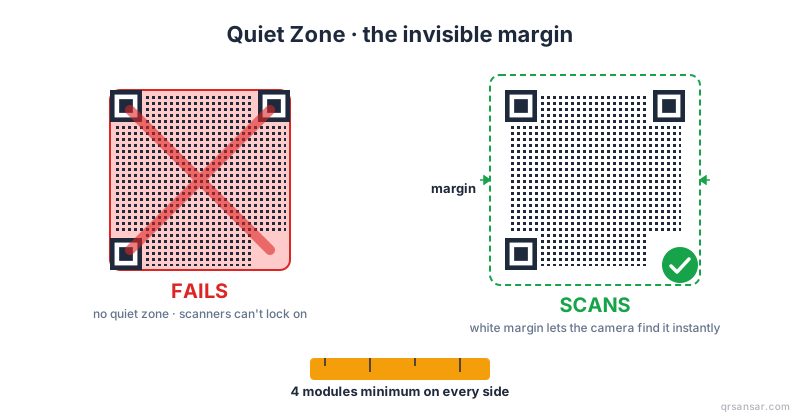
- Keep the quiet zone. Leave the white border around the code. Cropping it is the most common reason a code fails (here's why).
- Check contrast on coloured stock. Dark code, light background, every time. Red on green looks festive and scans terribly (see the contrast rules).
- Download SVG for print so the code stays sharp at any size (SVG vs PNG).
Our launch offer ends with the year
QRSansar is still in its launch period, and the launch offer runs until 31 December. If the holidays are when you need more dynamic codes, more documents or more events than the free plan allows, this is the cheapest moment to upgrade. The current discount and code are always on the offers page.
Every idea in this post works on the free plan, starting today. Pick the one your customers ask about most and start there.