How Nepali Municipalities Can Use QR Codes for Public Records and File Tracking

The opportunity hiding in plain sight
Nepal has 753 local levels — 6 metropolitan cities, 11 sub-metropolitan cities, 276 municipalities, and 460 rural municipalities (gaupalika). Each one runs a ward office, issues certificates, tracks files, posts notices, and receives grievances. Most still do this with paper, a register book, and a desk clerk who walks a folder from one room to another.
QR codes are not a flashy technology. They are old, well-understood, and free to produce. That is precisely why they fit Nepal's e-governance reality better than blockchain pilots or full digital transformation projects that stall at the procurement stage. A municipality with a working printer and a free URL-to-QR generator can deploy meaningful citizen-facing services in an afternoon.
The cheapest way to digitize a government service is not to digitize the service. It is to digitize the pointer to the service — a QR code on a paper notice, a wall, or a file folder — and let the citizen's phone do the rest.
This post walks through six concrete deployments suited to Nepali wards and palikas, aligned with the Digital Nepal Framework, and grounded in the connectivity and literacy realities reported by the Nepal Telecommunications Authority.
Use case 1: the front-desk service catalog
Every ward office in Nepal serves the same daily question: "What do I need to bring to apply for X?" Birth registration needs the parents' citizenship copies and a hospital letter. Migration certificates need the old ward's recommendation. Relationship certificates need two witnesses. The answers exist — usually printed on a faded poster behind the clerk — but the citizen has to physically visit to read them.
A single QR code at the front desk, linked to a mobile-friendly page listing every service the ward provides along with the documents required, removes one full visit from most citizen journeys. The page lives on the palika's existing website (most palikas have one under .gov.np); the QR is generated for free and printed on an A4 laminate.
What to include on that page:
- Service name in Nepali and English
- Documents required, with sample images
- Applicable fee in NPR
- Estimated processing time in working days
- Ward officer's name and direct phone number
- Office hours, including local holidays
A laminated A4 sign costs under NPR 100. The QR never expires as long as you do not use a third-party shortener (more on that in our note on why static QRs should never wrap third-party shorteners).
Use case 2: certificate verification
This is the highest-impact use case for any Nepali municipality, and the one most often overlooked. Birth, marriage, death, relationship, and migration certificates issued by ward offices are routinely required by banks, embassies, schools, and employers. The current verification process is a phone call from the requesting institution to the issuing ward — slow, manual, and trivially forgeable by anyone with a colour printer.
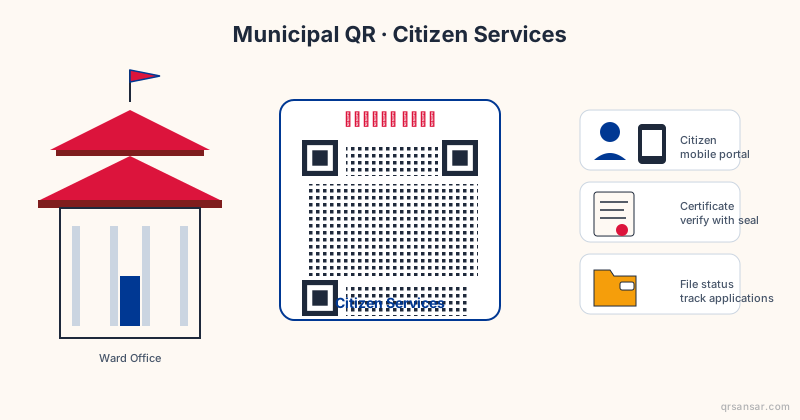
A QR code printed in the bottom-right corner of every certificate, linking to a public verification page on the palika's domain, changes this entirely. The page shows:
- Certificate serial number
- Date of issue
- Name of the registrant (the citizen)
- Name of the issuing officer
- Digital signature timestamp
A bank in Pokhara verifying a marriage certificate issued by a ward in Jhapa scans once and gets an authoritative answer in three seconds. The forgery floor rises sharply because a fake certificate now requires not just a printed paper but a corresponding live record on the palika's server.
For palikas issuing thousands of certificates a month, generate these QRs in batch using a bulk QR workflow — one CSV row per certificate, one PDF page per row, automated.
| Certificate type | Current verification time | With QR verification |
|---|---|---|
| Birth certificate | 2-5 working days | Under 10 seconds |
| Marriage certificate | 3-7 working days | Under 10 seconds |
| Migration certificate | 2-4 working days | Under 10 seconds |
| Relationship certificate | 1-3 working days | Under 10 seconds |
| Death certificate | 2-4 working days | Under 10 seconds |
The numbers above are typical for inter-district verification under the current phone-and-fax norm. The same pattern works for document authentication QRs used by colleges and notaries.
Use case 3: file movement tracking
Walk into any ward secretary's room during peak season and you will find folders stacked on every flat surface. Each folder is a citizen's file moving between desks — application received at desk 1, scrutinized at desk 2, approved at desk 3, certificate printed at desk 4, signed at desk 5, handed back at desk 1. When a file goes missing, no one knows whether it is buried on desk 3 or sitting in the back of a drawer on desk 4.
A QR code label stuck on the folder, scanned at each desk transition, produces an automatic audit trail. This is the same workflow we describe in our piece on logistics tracking with QR codes — a chain of timestamped scans, each one a row in a database.
What changes for a ward office:
- Citizen can ask "where is my file?" and get an honest answer
- Bottlenecks become visible (if every file sits 3 days at desk 4, fix desk 4)
- Lost files are no longer mysterious — the last scan tells you where it was last seen
- Inter-desk accountability improves because the trail is permanent
The cost is roughly NPR 5 per folder label and one cheap Android tablet per desk. Most palikas already have tablets allocated under the Local Governance and Community Development Programme.
Use case 4: public notice archive
The white board outside the ward office holds notices for 15 days before they get torn down for the next batch. Citizens who missed the announcement window have no recourse — the notice is gone, and nobody photographs the board.
Print one QR code at the top of the board linking to a "notices archive" page. Every notice posted physically is also uploaded as a PDF, dated, and indexed. A citizen who hears about a notice from a neighbour two weeks later scans the QR from home, finds the archive, and reads what they missed.
This is especially valuable for:
- Tender notices (suppliers in other districts cannot visit the board)
- Public hearing announcements (citizens with disabilities or those working abroad)
- Tax due dates and rebate windows
- Disaster response and relief allocation lists
The archive page becomes the authoritative source for anything the palika has ever officially announced. Combined with the Right to Information Act 2007, it gives the palika a defensible audit position.
Use case 5: tender document distribution
Tender documents in Nepal are typically sold as printed booklets at the palika office for NPR 1,000 to NPR 5,000. Suppliers must travel to collect them, which restricts the bidder pool to those in the immediate region and inflates prices through reduced competition.
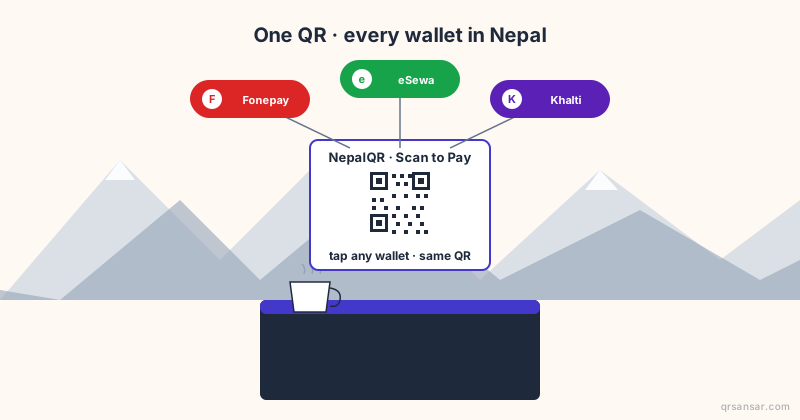
A QR code on the tender notice that links to the full PDF (gated by a one-time NPR payment via Fonepay or eSewa) lets any supplier in Nepal download the documents without travelling. The same QR can sit on the palika's noticeboard, in the local newspaper advertisement, and on social media — one artifact, many surfaces.
The World Bank's e-governance reports consistently show that wider bidder participation correlates with lower contract prices and better project completion rates.
Use case 6: ward-level grievance redressal
Grievance boxes outside ward offices fill with paper slips that may or may not be read. A QR code printed beside the box, linking to a Google Form or palika-hosted grievance submission page, gives citizens an alternative channel that is timestamped, photographable (citizens can attach evidence photos), and auditable.
The form should capture:
- Citizen name (optional — anonymous complaints accepted)
- Ward number
- Category (sanitation, road, water, electricity, corruption, other)
- Description
- Photo upload
- Phone number for follow-up (optional)
Complaints route automatically to the relevant section officer. Resolution status updates push back to the complainant by SMS — a channel that works on every phone in Nepal, including 2G feature phones in remote wards.
The practical concerns nobody talks about
Deploying QR codes in Nepali municipalities is not a copy-paste of Singaporean smart city playbooks. Three constraints shape what actually works:
Connectivity gradient. Urban Kathmandu has solid 4G; many rural palika headquarters have intermittent 3G; remote wards in Karnali and Sudurpashchim sometimes only have 2G or no signal at all. Pages linked from QR codes must be lightweight — under 100 KB of HTML, no autoplay video, images compressed and lazy-loaded. Test with the Chrome DevTools "Slow 3G" throttle before publishing.
Smartphone penetration. NTA's quarterly statistics put mobile penetration above 130% (multiple SIMs per user), but smartphone-vs-feature-phone ratios are closer to 70:30 nationally and below 50:50 in remote districts. Any QR-driven service must keep a paper or in-person fallback. The QR is an accelerant, not a replacement.
Bilingual presentation. Devanagari and Latin script side by side on every label, page header, and form field. Older citizens read Nepali; younger urban citizens often default to English. The QR sticker itself can carry both: "नागरिक सेवा / Citizen Services" above the code. Many palikas also have significant Maithili, Bhojpuri, Tharu, or Tamang speakers — add a third script where the demographics warrant.
| Constraint | Design response |
|---|---|
| 2G/3G coverage | Page under 100 KB, no JS-heavy frameworks |
| Feature phone users | Keep paper fallback; SMS updates parallel to web |
| Bilingual citizens | Devanagari and Latin script on every surface |
| Power outages | QR is offline-printable; only the destination needs power |
| Low digital literacy | Single tap to scan; landing page reads top-to-bottom in plain language |
Aligning with the Digital Nepal Framework
The Government of Nepal's Digital Nepal Framework identifies eight sectors for digital transformation, including governance. The framework speaks the language of large platforms — national ID, integrated payment systems, federated data exchanges. Most of those are multi-year national projects.
QR codes operate at the other end of the spectrum: micro-deployments, ward-by-ward, no central procurement, no vendor lock-in. A nagarpalika can deploy all six use cases above for under NPR 50,000 in first-year costs (printing, training, one shared tablet pool) without waiting for any national platform to launch. When the national systems do come online, QR-driven workflows slot in cleanly — the palika is already collecting structured data, already serving citizens via mobile, already running an authoritative archive.
Where to start: a 30-day rollout
For a palika or ward considering a pilot, here is a sequence that has worked elsewhere:
- Week 1. Pick one use case (the front-desk service catalog is the easiest). Draft the destination page in Nepali and English. Get the ward chair's sign-off.
- Week 2. Generate the QR code, print 10 laminated A4 copies, post them at the ward office and on the noticeboard. Brief the front-desk clerks.
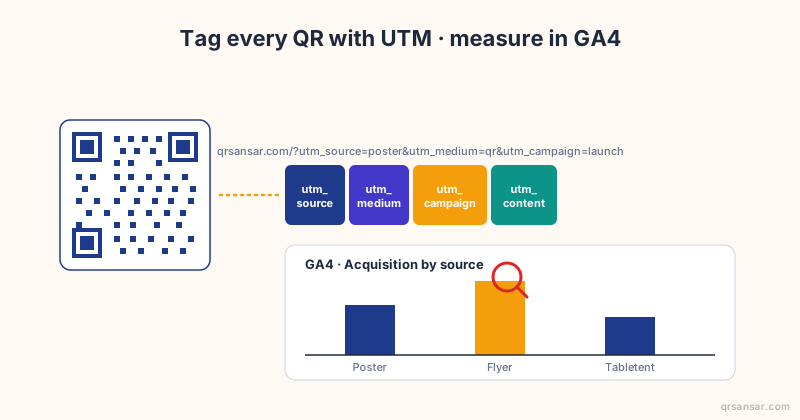
- Week 3. Measure: how many scans per day? Which services get the most clicks? Are citizens asking fewer "what do I need to bring" questions?
- Week 4. Iterate on the page content based on what you learned. Plan the next use case.
Static QR codes never expire as long as the URL behind them stays alive. Print once, use forever.
A note on technology choices
Use static QR codes for anything you print in volume — certificates, file labels, notice boards. The URL is baked into the code and never changes. Use dynamic codes (where the QR points to a redirector you control) only when you genuinely need to change the destination later, and only when the redirector is on a domain you own. Read our dynamic versus static comparison before deploying at scale.
Avoid bit.ly, tinyurl, and similar shorteners for any printed government artifact. If the shortener company shuts down or sells, every certificate you ever printed becomes a dead link. The palika's own .gov.np URL is the only safe long-term destination.
Closing thought
Nepal's local governments do not need a moonshot to deliver better services. They need cheap, durable, well-targeted tools deployed by people who understand the ward office floor. QR codes are exactly that kind of tool. The technology is mature, the cost is near zero, and the citizen experience improvement is measurable in days saved per certificate, complaints filed per month, and tender bids received per round.
Start with one QR code at one front desk. Measure. Expand.
Generate your municipality's first QR code free at QRSansar — no signup, no tracking, built in Kathmandu for Nepali realities.